Agent log
Every request your agents make, and who let it through.
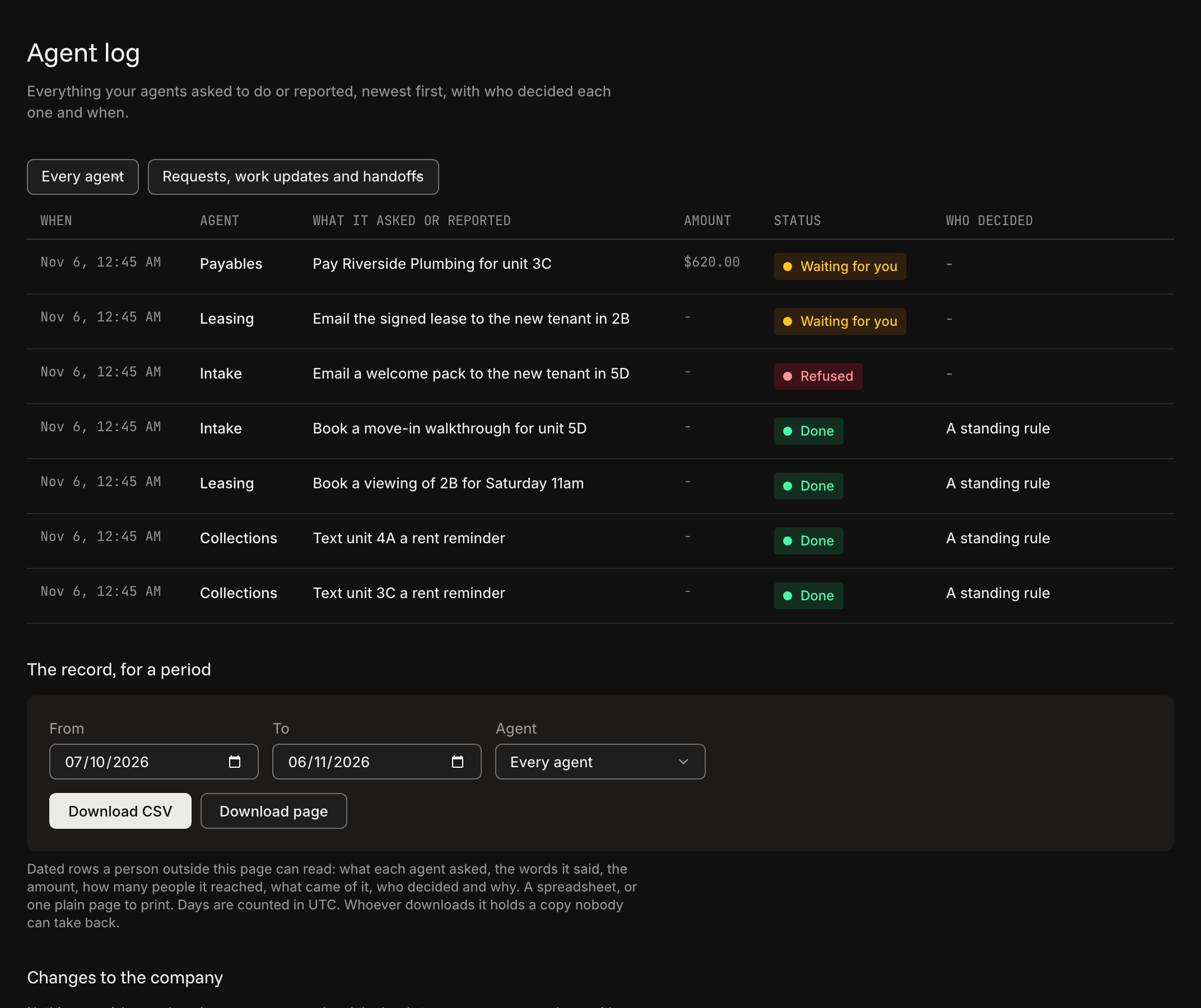
One record of what each agent asked for, whether a signed-in person approved it or a rule someone wrote allowed it, and what happened. Not a log buried in settings.
What holds, in the log
- Every request: Allowed, waiting, refused, done
- Who let it through: A person, or a rule, by name
- Order: Newest first, nothing edited
- Per agent: Filter to one
- Leaving: Download everything
The difference
A dashboard says what your agents can do. This says what they did.
Every request an agent makes is written down when it is made, before anything happens: which agent, what it asked, the amount, and then what Trellvix answered and who decided. A request is never edited; a correction is written beside it, with who made it.
What was asked, as the agent asked it
Not "contacted a tenant". "Email the signed lease to the new tenant in 2B", from Leasing, with the amount if there was one.
Who let it through
A person's name, because they approved it signed in. Or "A rule", because one a person wrote covered it. A request the agent marked read-only or reversible needs neither, and shows no decider.
What was refused
A request the agent was not allowed to make is its own status, on the record. An agent whose refusals are invisible is indistinguishable from one that never asks for too much.
What happened after
The agent reports done or failed once it has acted, so the log says what went ahead, not only what was allowed to.
How it goes
From the ask to the record, in four moves.
The agent asks
One request, with the kind of thing it is, so a rule can be written against it.
Trellvix writes it down first
The line exists before the answer does. Nothing can act and then explain.
Someone decides, or a rule does
The decision and the decider go on the same line.
You read it whenever you like
In the app, under Agent log. Filter to one agent, or download everything as one file.
Before anything happens
An empty log is a claim in itself. It means no agent has asked.
It does not start with a summary of what might happen. It starts empty and grows only when an agent actually asks, which is what makes a line in it worth reading.
No agent has asked yet
Every request your agents make is written here with who let it through and what happened. There is nothing to show yet.
What it holds to
Four things the log will never do. Including for us.
It never says "contacted a vendor"
That is a summary, and a summary is where the detail you needed goes missing.
It never edits the request
What the agent asked and what was decided stay as they were. A correction is written beside them, with who made it. The order is the order it happened in.
It never leaves out a refusal
What an agent was not allowed to do is on the record beside what it was.
It never locks you in
Download everything, as one file, any time. Leaving with the record is the point of having one.
Meet the chief of staff your company never had.